
For any technical requests and/or feedback, please submit a Technical Assistance Request through the TAR form. This will help Outreach Grid better track incoming requests and communicate with our users with the TAR’s progress. Here are the steps:
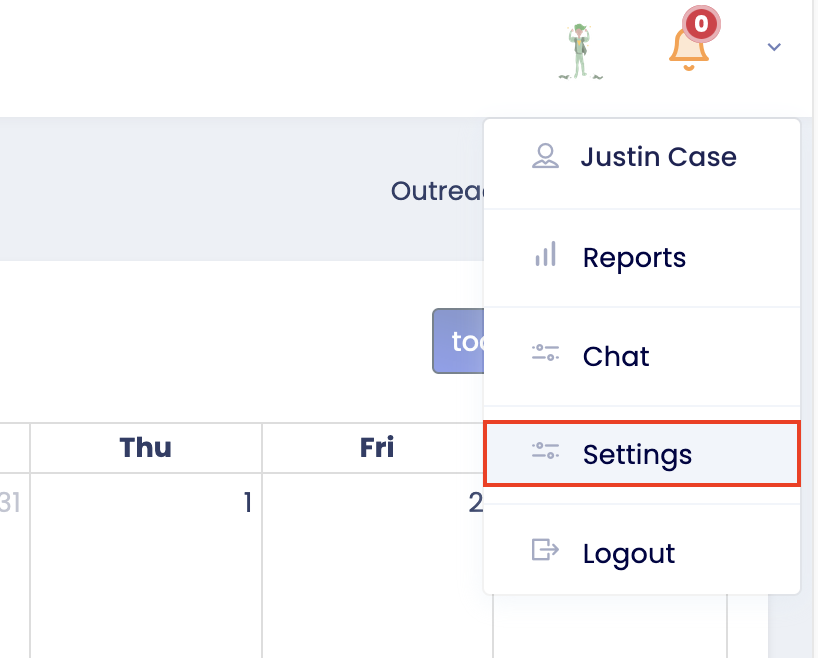
- After logging into OG on the web platform, tap on the small downward arrow, and select Settings
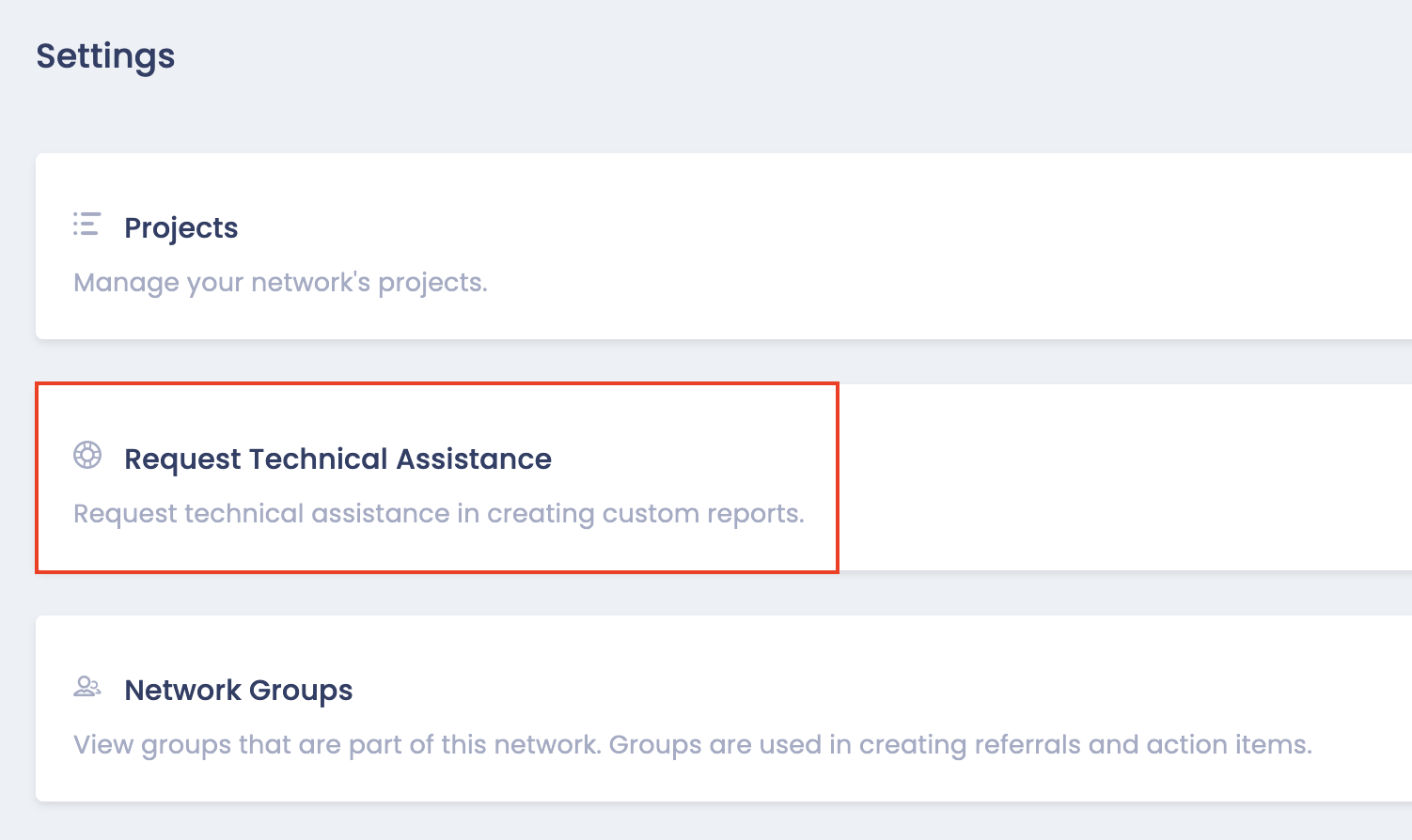
- Select Request Technical Assistance
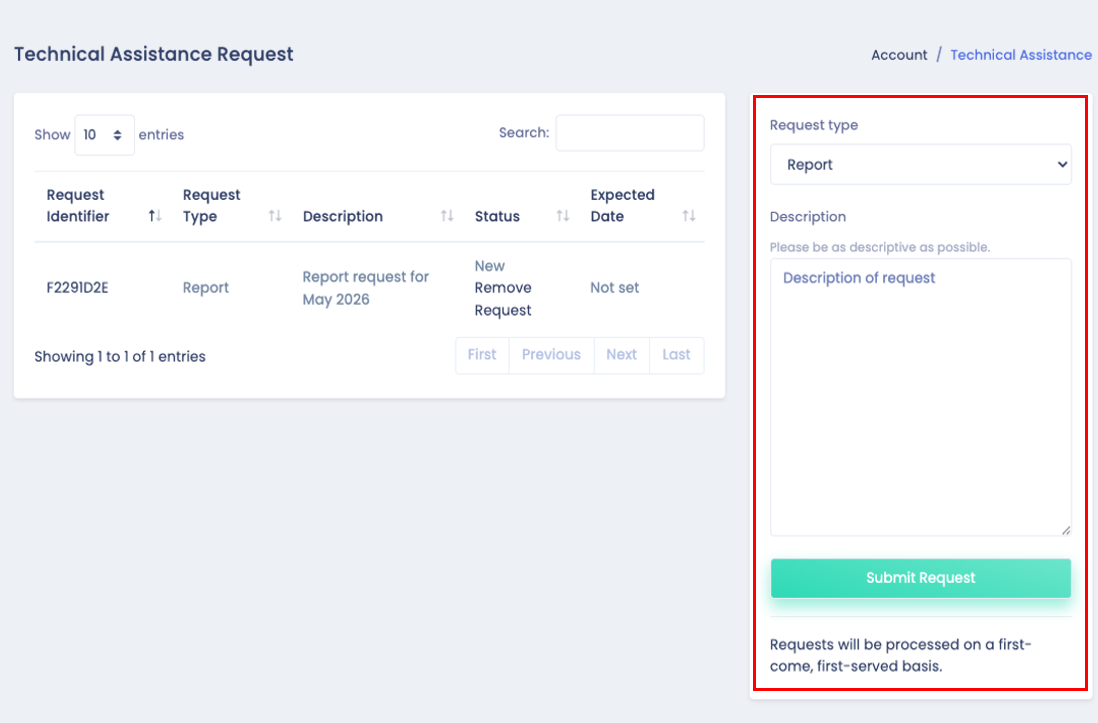
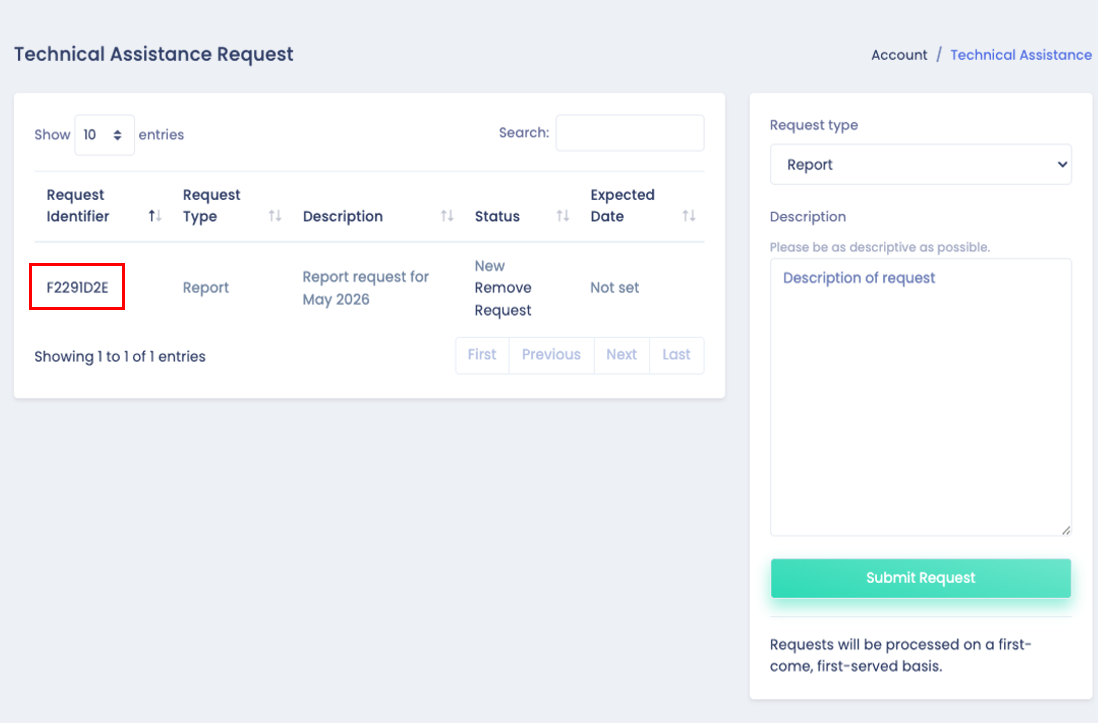
- Under “Request Type”, select the type of assistance and provide a description of the request
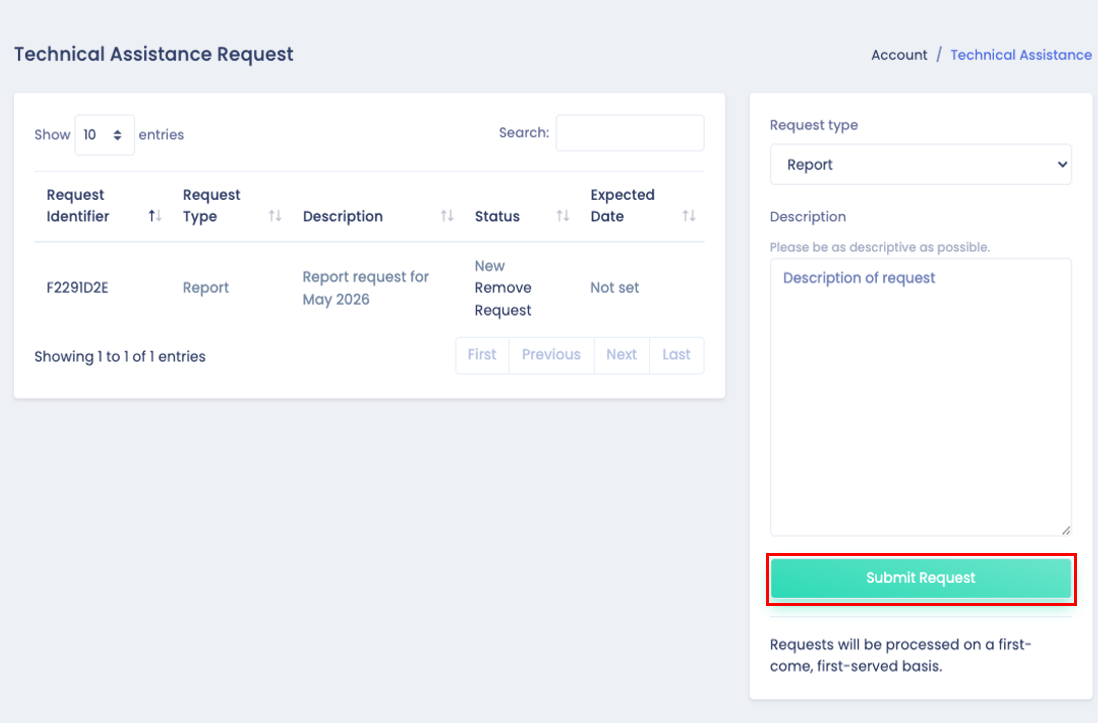
- Select Submit Request
- Generally, report requests can take up to two weeks to be completed.
- Reports are processed on a first-come, first served basis.
- After the report is submitted, users will be able to see the status of the TAR:
New: The TAR has been submitted by the user
Acknowledged: The TAR has been reviewed and acknowledged by Outreach Grid (OG) staff
Consulted: OG staff reached out and discussed the TAR with the user to gather additional details or clarify requirements
Prioritized: The TAR has been added to OG's priority queue
Started (In Progress): The TAR is actively being worked on
Completed: The TAR has been completed and closed by OG staff
Users can click the TAR ID to view additional information about the TAR request.
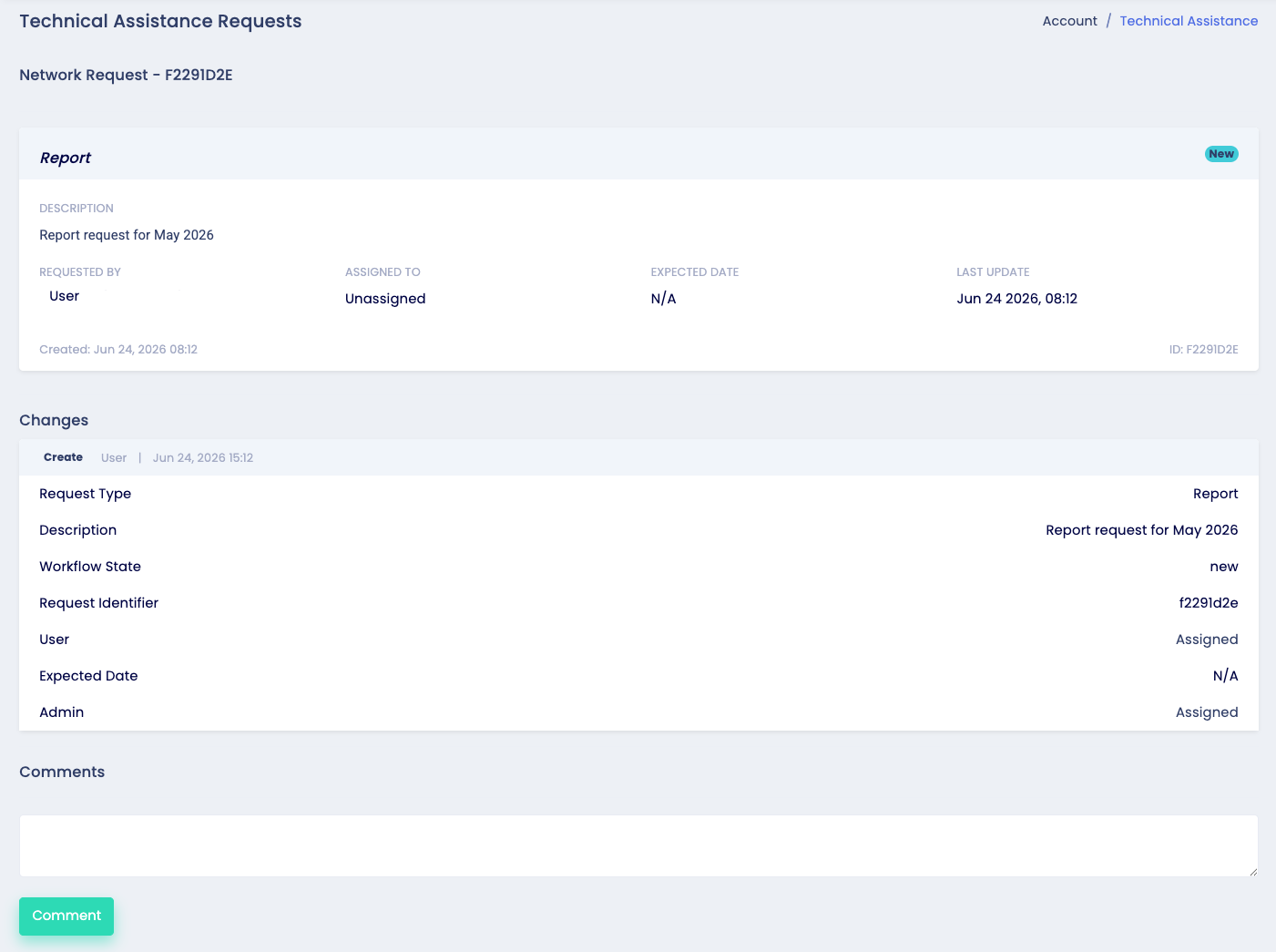
From this page, the user can view:
Who the TAR was requested by
Who the TAR has been assigned to
The expected completion date for the TAR
The date of the latest TAR update
Change log of any updates to the TAR
Comments on TAR between user and OG staff
Email notifications will be sent whenever the status of the TAR has been updated, or when a new comment has been added.