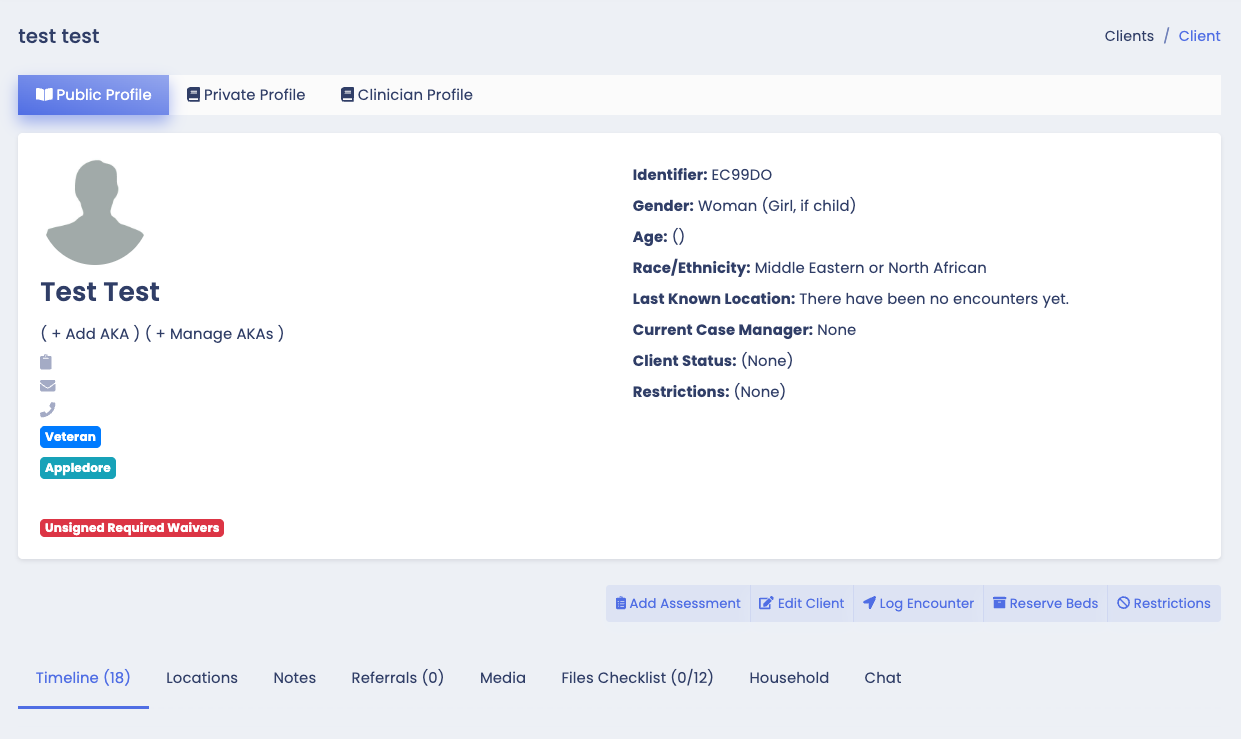
For some communities, users are required to have any Required Waivers signed for their client's to have access to all of the features of the client profile (viewing and creating assessments, making shelter reservations, etc.)
Client's missing required waivers will have a red Unsigned Required Waivers tag on their profile.
Searching for a Client
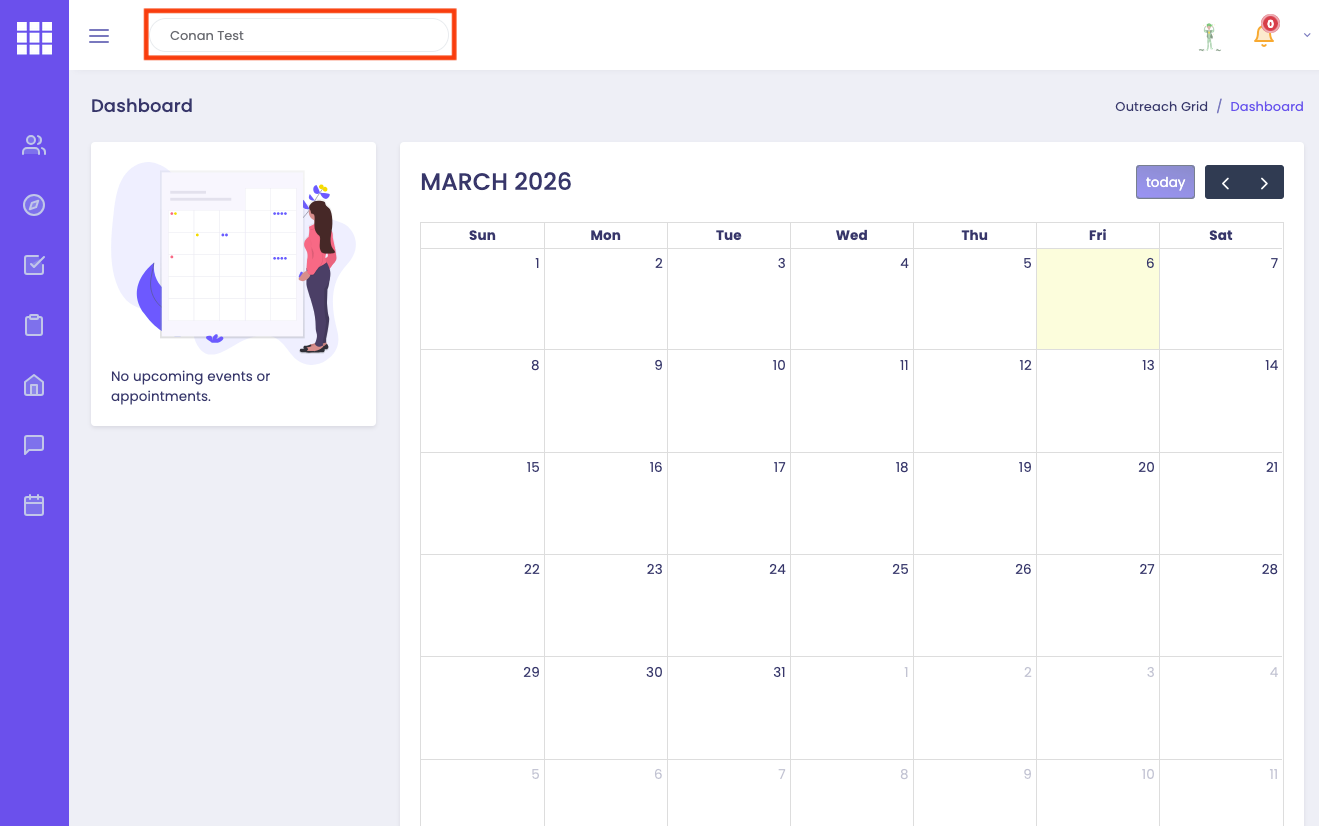
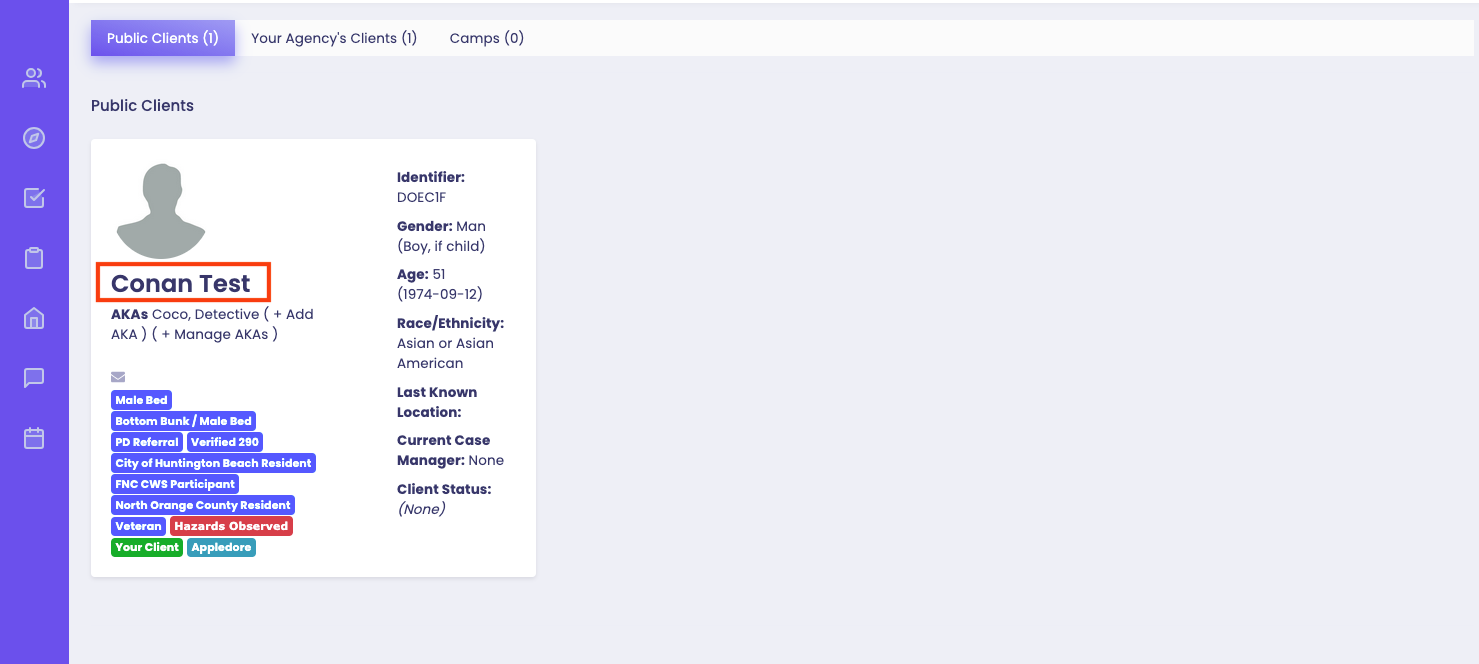
After logging into Outreach Grid on the web platform, type in the client's name in the search bar and tap on their name to get to the client's Public Profile.
- Search for the client by typing in their first name, last name, alias, date of birth (YYYY-MM-DD), or the last four digits of their Social Security number.
- Please note that search queries for a client will only work for one type of query. Do not mix queries together (ex: “John Doe 1992-04-01“) as this will cause the search engine to look for the client with the name ”John Doe 1992-04-01“.
Searching for Waivers
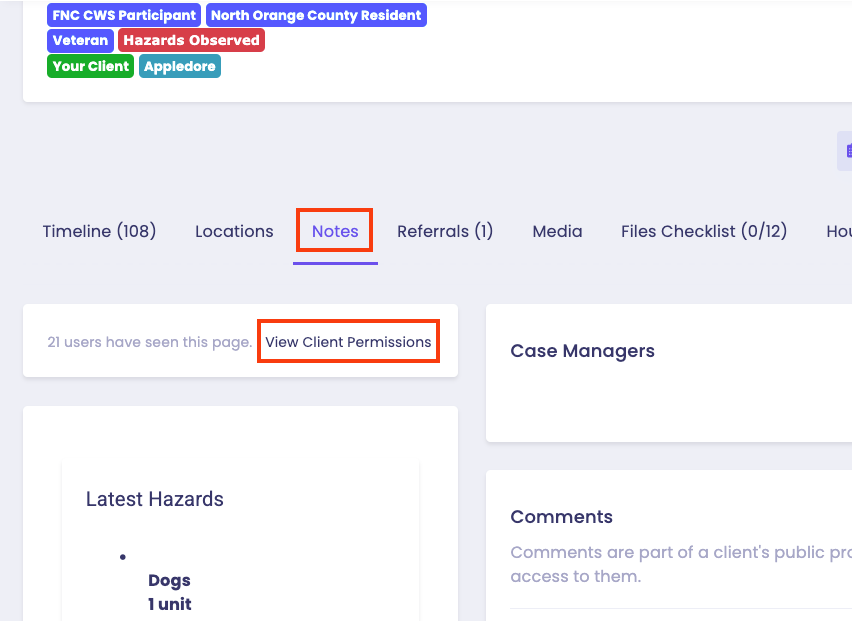
In the client's Public Profile, tap on Notes and click on View Clients Permissions to view all Signed and Outstanding Agreements.
Signing Required Waivers
If a client does not have certain required waivers signed, they will be found under Outstanding Agreements.
If the client is physically unable to sign but provides Verbal Consent, you may check the verbal consent box next to This is a verbal consent to indicate that you will be signing on behalf of the client.
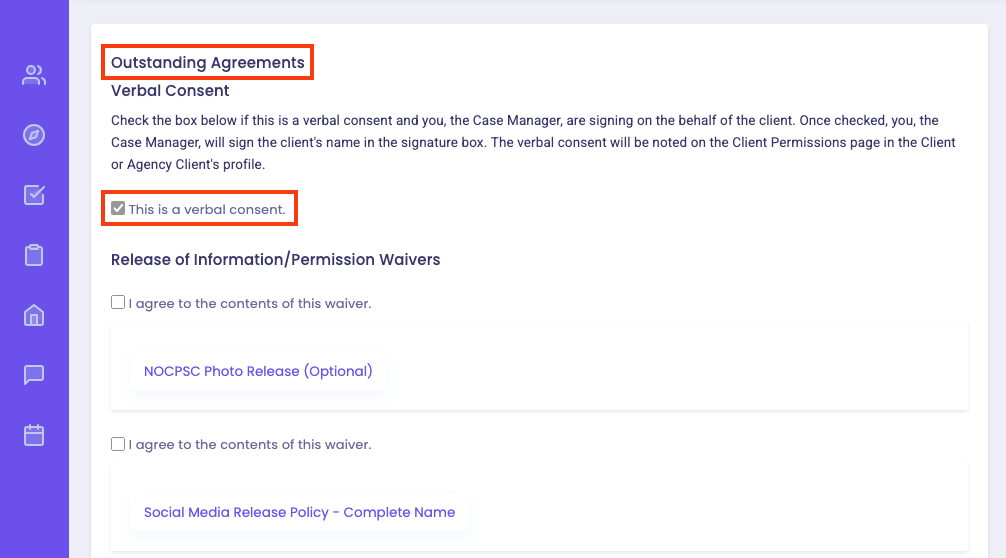
Select the appropriate waiver checkbox(es) next to I agree to the contents of this waiver.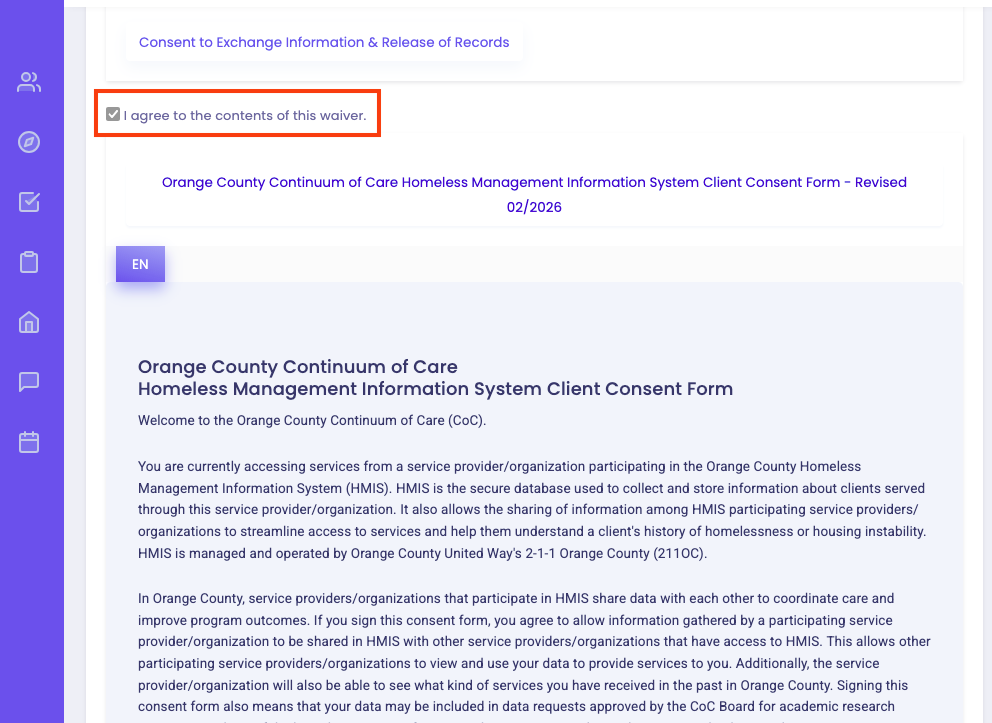
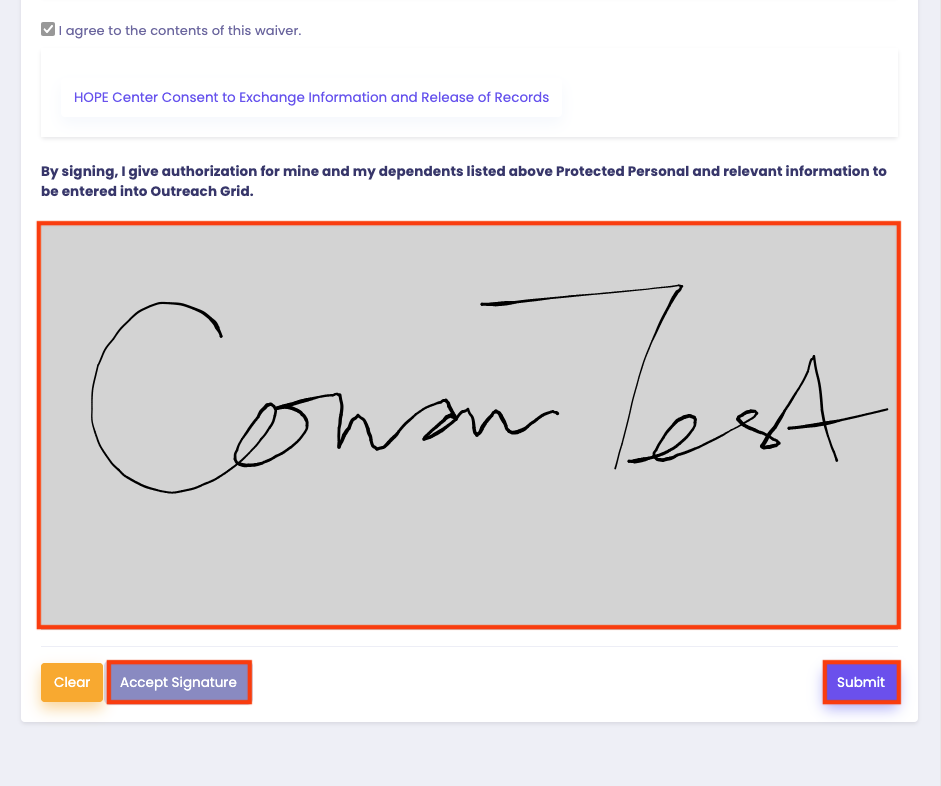
Signatures can be signed using the mouse on the computer or by finger or stylus if using the web app or mobile app on a touchscreen device (phone, iPad, tablet, etc).
After the signature has been entered, the Accept Signature button must be clicked, and then a purple Submit button will appear.
Viewing and Downloading an Assessment
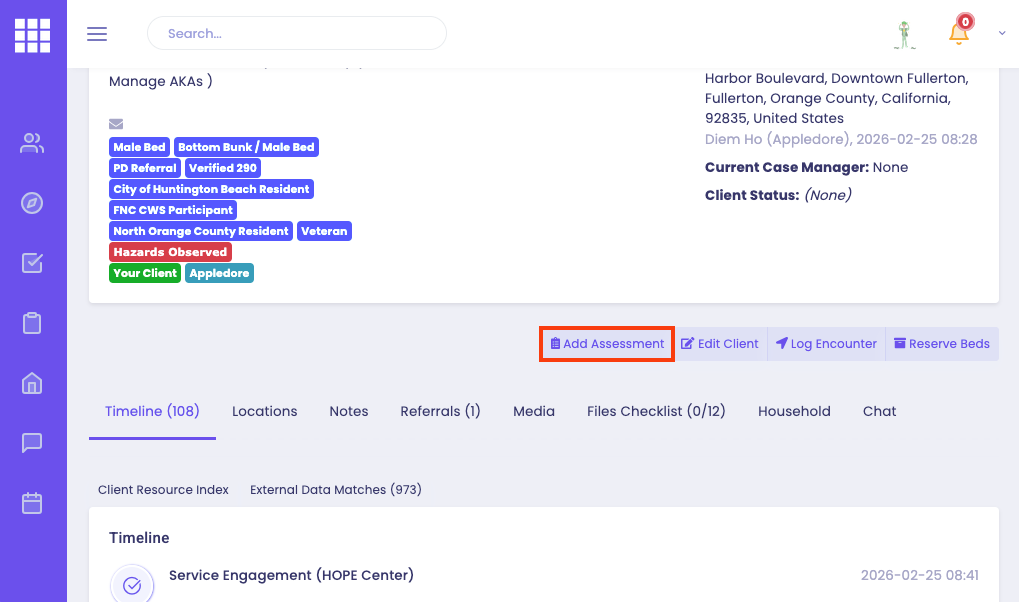
After the required waivers have been signed, return back to the client's Public Profile. Tap on the Add Assessment button to find the North Orange County Navigation Center Referral Assessment.
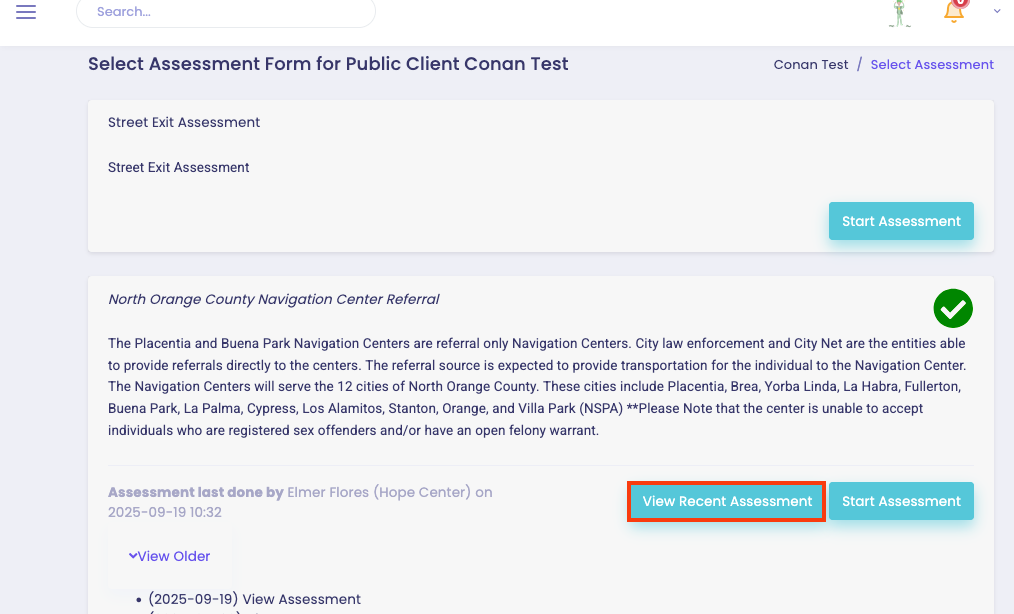
Tap on View Recent Assessment to view the North Orange County Navigation Center Referral Assessment.
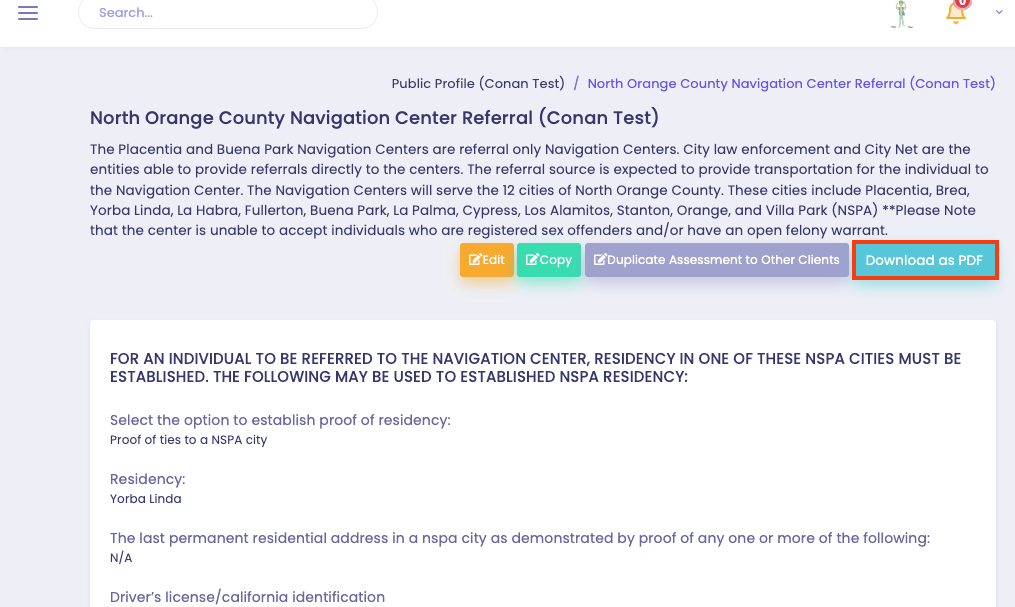
Tap on Download as PDF button to download and save the assessment onto your computer.